

This post contains affiliate links. If you make a purchase through these links, I may earn a commission at no extra cost to you.
Are you looking to launch a blog or a content site and trying to decide which platform to select? In this tutorial, I will demonstrate how to build one using WordPress.com.
Overview of blogging and its benefits
Blogging has been established for a long time and remains significant today, evolving from simple online journals into a cornerstone of modern digital communication. It is widely viewed as an excellent medium for global interaction and the distribution of complex ideas or unique perspectives by private citizens, political figures, and major corporations alike.
This versatile practice offers a wide array of advantages, including significantly increasing visibility for the products and services provided by entrepreneurs. Furthermore, it provides several other benefits, such as establishing professional authority, improving search engine optimization, and fostering a sense of community through direct engagement with a worldwide audience.
Why choose WordPress.com for blogging
WordPress.com, being one of the best WordPress hosting for beginners, empowers content creators and storytellers to broadcast their text, audio, and video content to specific, targeted audiences using a variety of contemporary methods.
The platform features integrated, state-of-the-art Artificial Intelligence (AI) capabilities designed to facilitate more productive blogging experiences.
These blogging tools (which include design and editing, marketing, site management, monetization and more) ensure that content is meticulously crafted for both human readers and complex search algorithms.
Consequently, prominent SEO frameworks and AI-driven discovery systems often give preference to WordPress.com accounts, resulting in significantly faster exposure and improved visibility in competitive search rankings.
Unlike other blogging platforms, WordPress.com also enables you to keep full ownership of your content and followers while growing your audience.
WordPress.com Pricing: How much does it cost to start a blog on WordPress.com?
Should you be ready to begin blogging on WordPress.com, here is the necessary information.
- Built-in hosting is provided with every WordPress.com plan.
- Unlike self-hosted blogs, WordPress.com takes care of software patches, security, and hosting so your attention can stay on the site.
- A custom domain and all essential WordPress.com features are included in the Personal plan.
- All paid plans include a free custom domain for the first year.
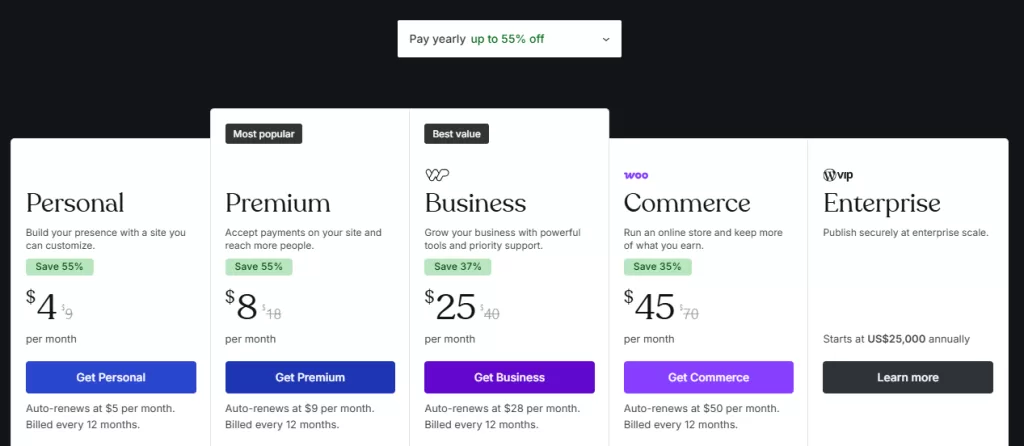
- Current rates:
- Personal $9/mo monthly or $4/mo annually
- Premium $18/mo monthly or $8/mo annually
- Business $40/mo monthly or $25/mo annually
- Commerce $70/mo monthly or $45/mo annually
How to Start a Blog on WordPress.com (5 Quick Steps)
Follow the steps below to create your blog with WordPress.com
1. Set Up Your WordPress.com Account
Navigate to WordPress.com pricing to select your plan and complete the sign-up process. You can begin with the Personal plan and upgrade to higher tiers as your blog expands over time.
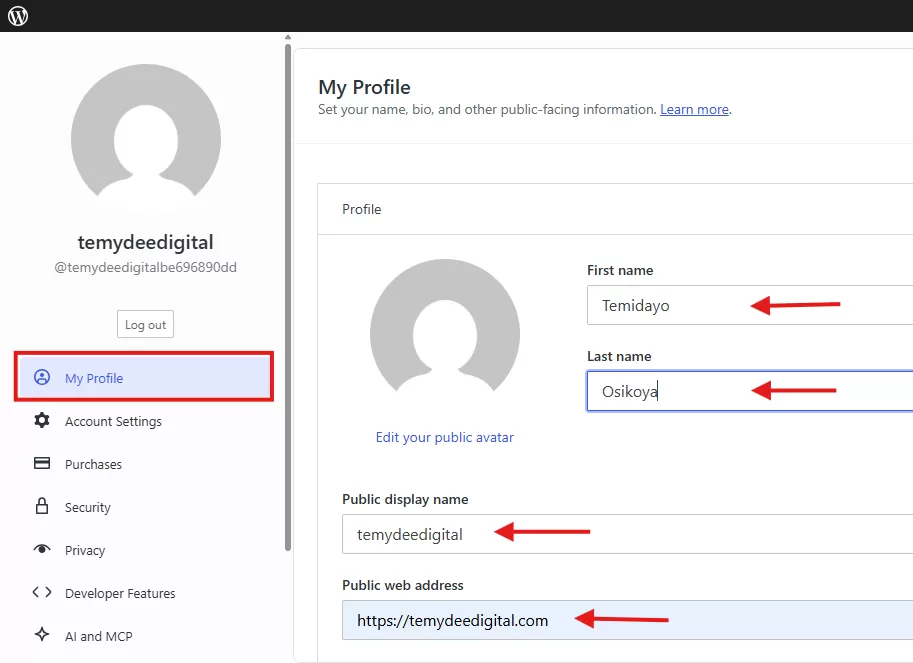
Validate your email address once you have registered. Next, mouse over your profile to configure your name, bio, and other required data. Finally, select the button to store your profile information.
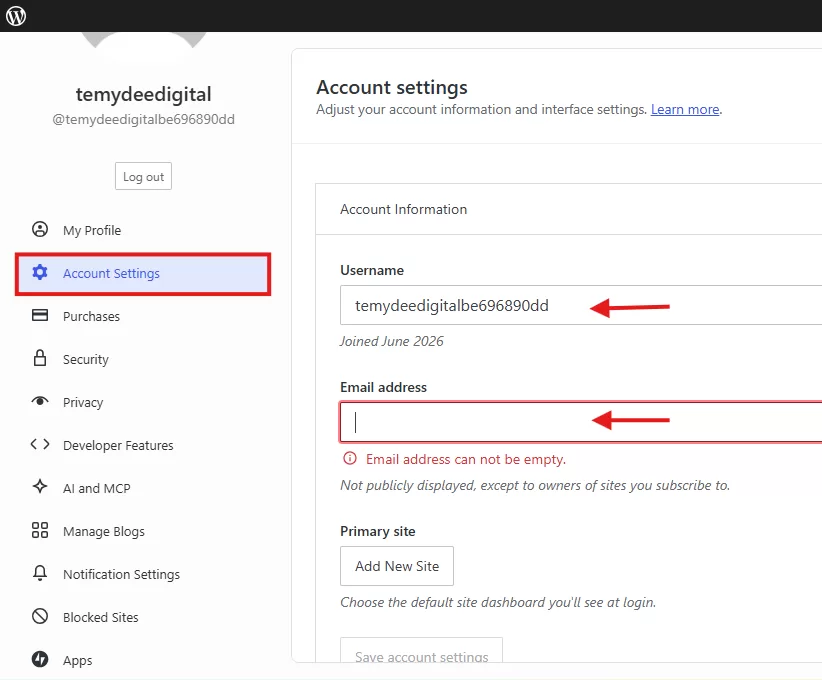
Then go to Account Settings to choose a username and password.
2. Choosing a Domain Name
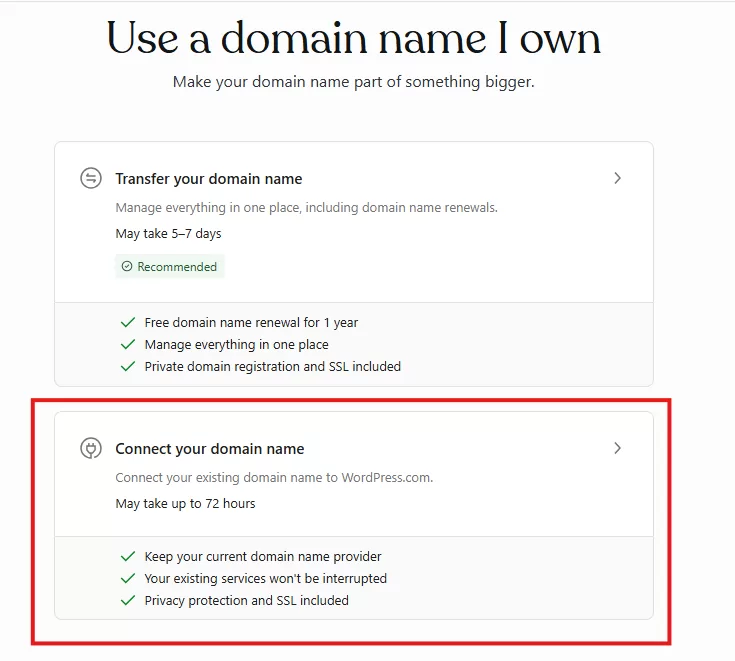
Your domain name serves as the online identity that guests enter into their web browsers to access your blog. You will have to establish one while you are setting up your site. Choose an appropriate and catchy name that is easy to keep in mind, and sign up for your domain at WordPress.com.
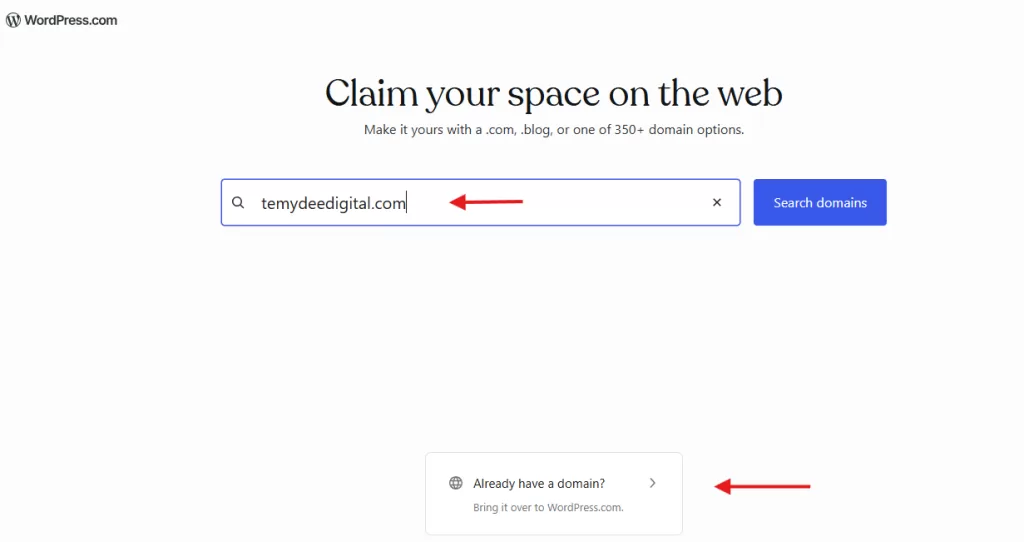
PS: You can ignore registering a new domain if you already have one. Just skip the new registration part and enter your existing domain instead.
Further reading: How to choose a memorable and relevant name for your domain.
3. Create a Site and Customize Your Blog
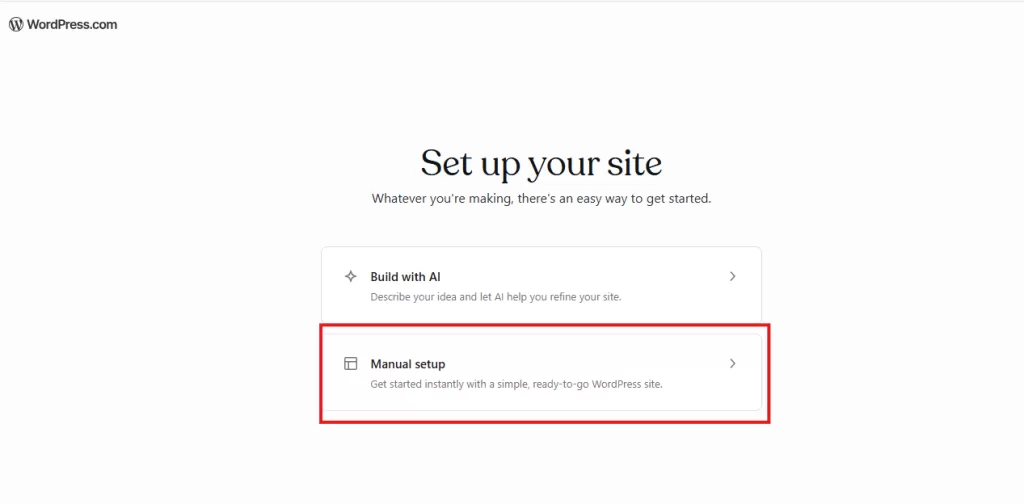
Navigate to the Sites area in your WordPress.com dashboard to set up your initial website or blog. You have the option to build a blog manually or employ AI for its creation.
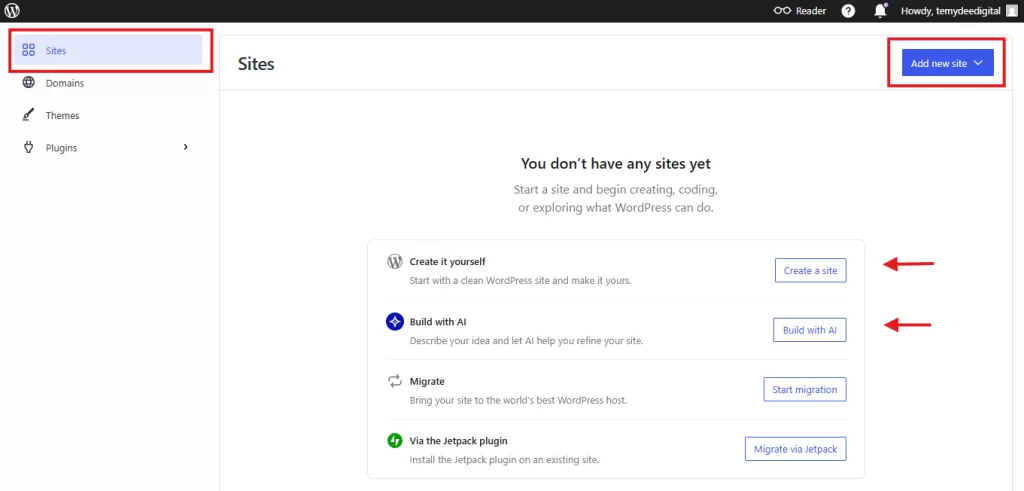
In this guide, I’ll demonstrate how to develop a blog from the ground up.
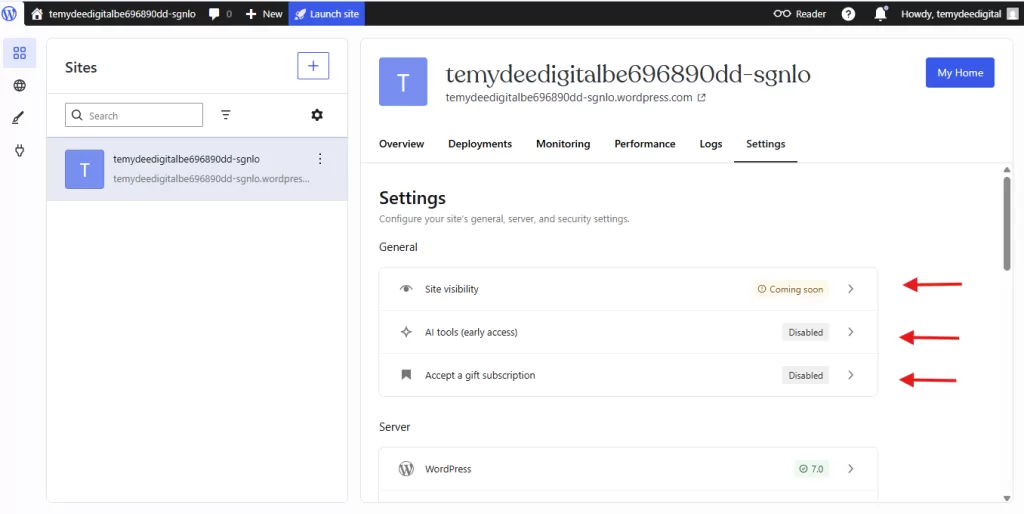
Once your blog is built, proceed to the dashboard to adjust its visibility options. Make sure every setting is enabled. Additionally, visit the configuration area to define your permalinks and other preferences. Then, personalise your navigation pages, such as the Homepage, “About Us,” and “Services.”
Installing Themes
After completing the setup, choose your preferred premium theme from the WordPress.com theme section in your dashboard. A variety of high-end themes are available to personalize your website or blog with a professional appearance.
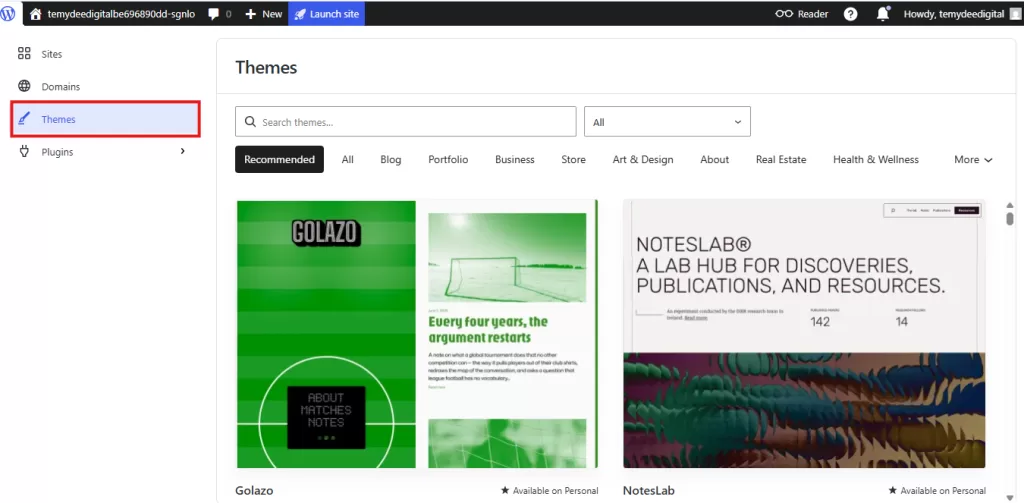
You can preview each theme within your dashboard before deciding to activate it.
Installing Plugins
Add plugins to improve your blog: Once your theme is configured, navigate to the plugins menu to get vital tools for upgrading your website or blog from the WordPress.com theme directory. A variety of plugins can be found and installed from the plugin marketplace.
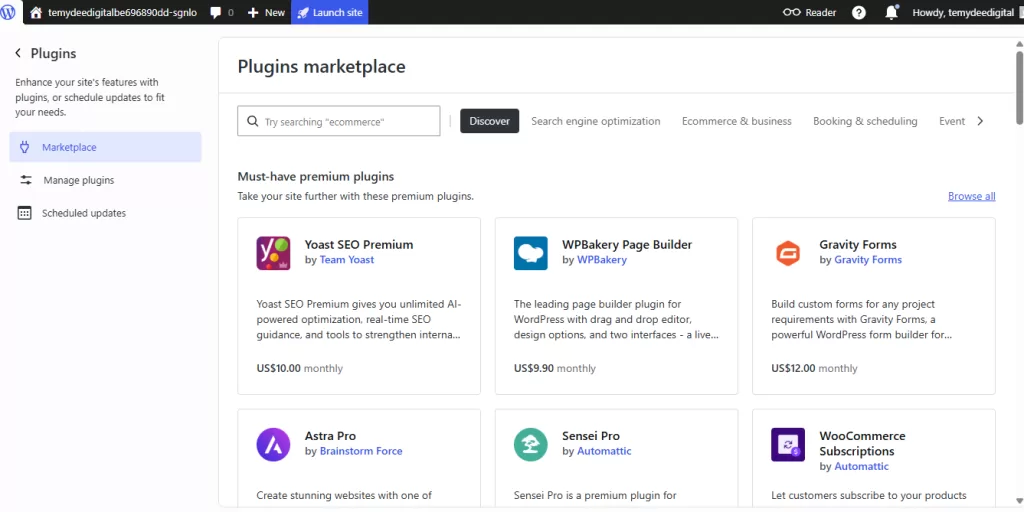
Further reading: Best WordPress.com plugins to install on your blog.
Customizing User Profile on Your WordPress.con Blog
Set up and personalize your user profile by navigating to the settings menu shown below. Draft your biography, upload a profile picture, and hit the save button.
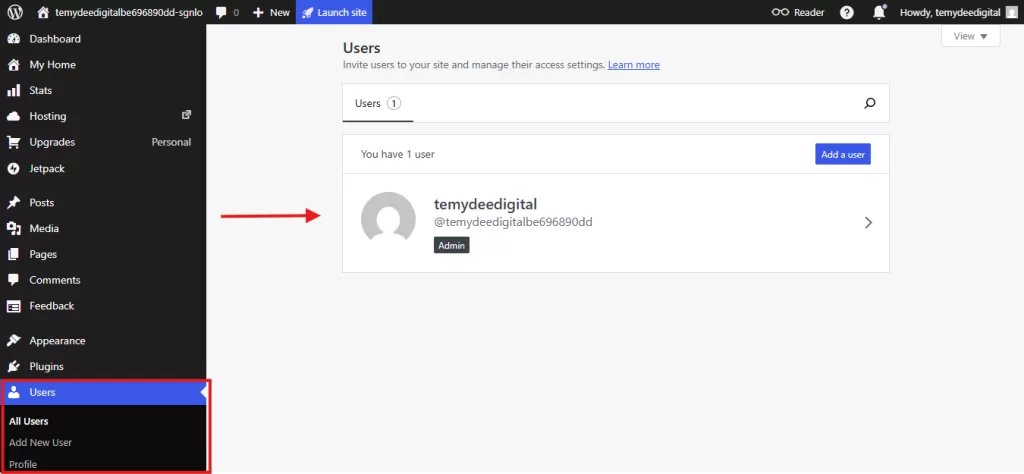
This information will be displayed on every blog post you release for your audience to see. You can also add more users to your blog as contributors.
4. Creating and Publishing Content
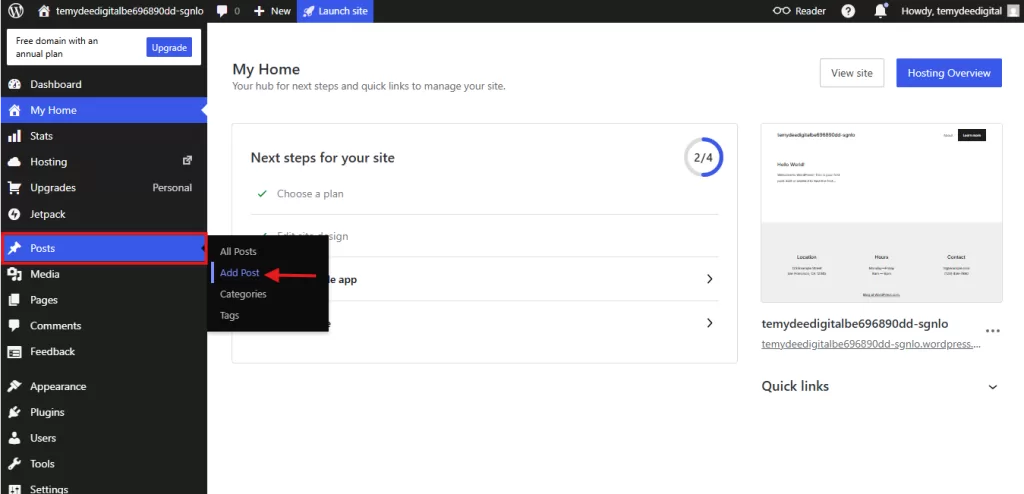
Writing your first WordPress.com blog post is simple. The block editor enables you to add titles, text, images, videos, and more into individual, distinct blocks. You can also customize font sizes and typography through each block’s settings.
Each block has specific controls for adjusting properties such as colour, width, and alignment. These options appear automatically whenever a block is selected. The block library contains all your available tools and can be accessed by clicking the plus icon.
If you’re a beginner, feel free to experiment with the WordPress.com block editor. Interested in learning more about how to use it? Here is a comprehensive guide.
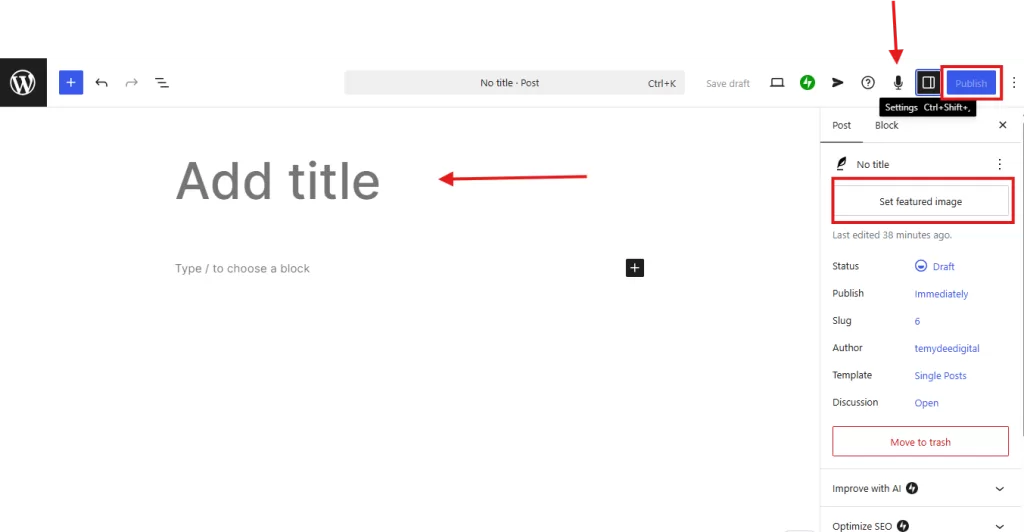
Adding Categories and Tags
WordPress.com also provides categories and tags for bloggers to classify their posts, ensuring visitors can easily find and browse through content. This helps you keep your material well-organized. Additionally, you can schedule blog posts and manage publishing settings to go live at any time you choose.
A distinctive tool within the WordPress.com editor is WP.com Smart Dictation, which lets users execute various commands by voice. For instance, you can use this feature to adjust block settings or even publish a post on the spot. Just record your voice instruction and watch it get finished.
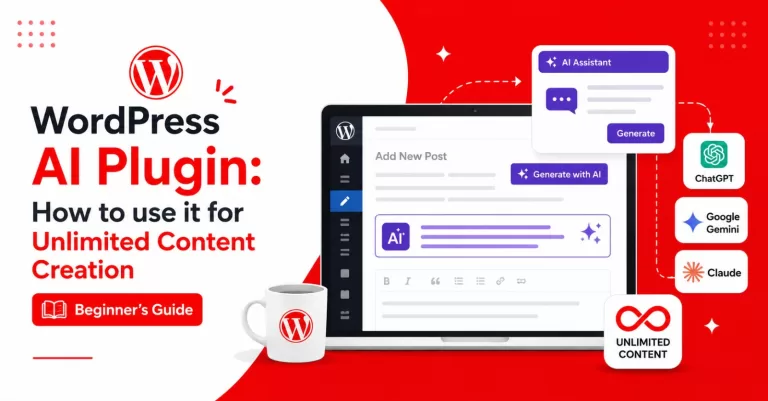
Visitors also read: How to connect ChatGPT, Claude, Gemini etc, to your WordPress.com for unlimited content creation.
5. Optimizing Your WordPress.com Blog
Although launching a blog is an exciting endeavor, you’ll achieve better growth by establishing consistent routines for sustained success. I typically recommend that beginners follow these steps.
- Develop a content calendar and post regularly
- Monitor your blog performance with stats and analytics
- Updating existing content periodically and manage vistor’s comments
- Send newsletters freely with JetPack Newsletter
Conclusion
Blogging is an established method for global communication, professional authority, and business growth. WordPress.com offers a platform for content creators featuring hosting, integrated AI tools, and SEO optimization. The service provides various pricing tiers for different needs while ensuring users maintain ownership of their digital content and followers.
Setting up a site involves selecting a domain, choosing themes, and using a block editor for content creation. Users can extend functionality through plugins and administrative tools. Management practices include maintaining a content calendar, monitoring performance through analytics, and engaging with audiences via newsletters and comment sections.
Frequently Asked Questions (FAQs)
Yes, WordPress.com offers a free plan that lets you create and publish a blog without paying. However, the free plan includes WordPress.com branding, a subdomain (for example, yourblog.wordpress.com), and limited customization options. If you want a custom domain, more storage, and access to themes and plugins, consider upgrading to one of the paid plans.
WordPress.com is a hosted platform that manages your hosting, security, and updates for you, making it ideal for beginners.
WordPress.org is a self-hosted content management system that gives you complete control over your website but requires you to purchase web hosting and manage updates yourself.
If you’re just getting started, WordPress.com is often the easier choice.
No. WordPress.com is designed for users of all experience levels. You can create pages, write blog posts, customize your design, and manage your website using an intuitive visual editor without writing any code.
You can start for free, but many bloggers choose a paid plan to unlock additional features such as:
A custom domain name
More storage space
Premium themes
Plugin installation
Advanced customization options
Choose a plan that matches your blogging goals and budget.
Choose a responsive theme that:
Looks professional
Loads quickly
Works well on mobile devices
Matches your niche
Is easy to customize
Don’t focus only on appearance—prioritize speed, readability, and user experience.
Yes. WordPress.com is one of the best blogging platforms for beginners because it offers managed hosting, built-in security, automatic updates, and an easy-to-use editor. Recent updates that allow theme and plugin installation on all paid plans also make it a more flexible option for growing blogs and small business websites.
Disclaimer: TemydeeDigital may be an affiliate for one or more products mentioned in this article. If you click a link and complete a purchase, we may earn a commission.