
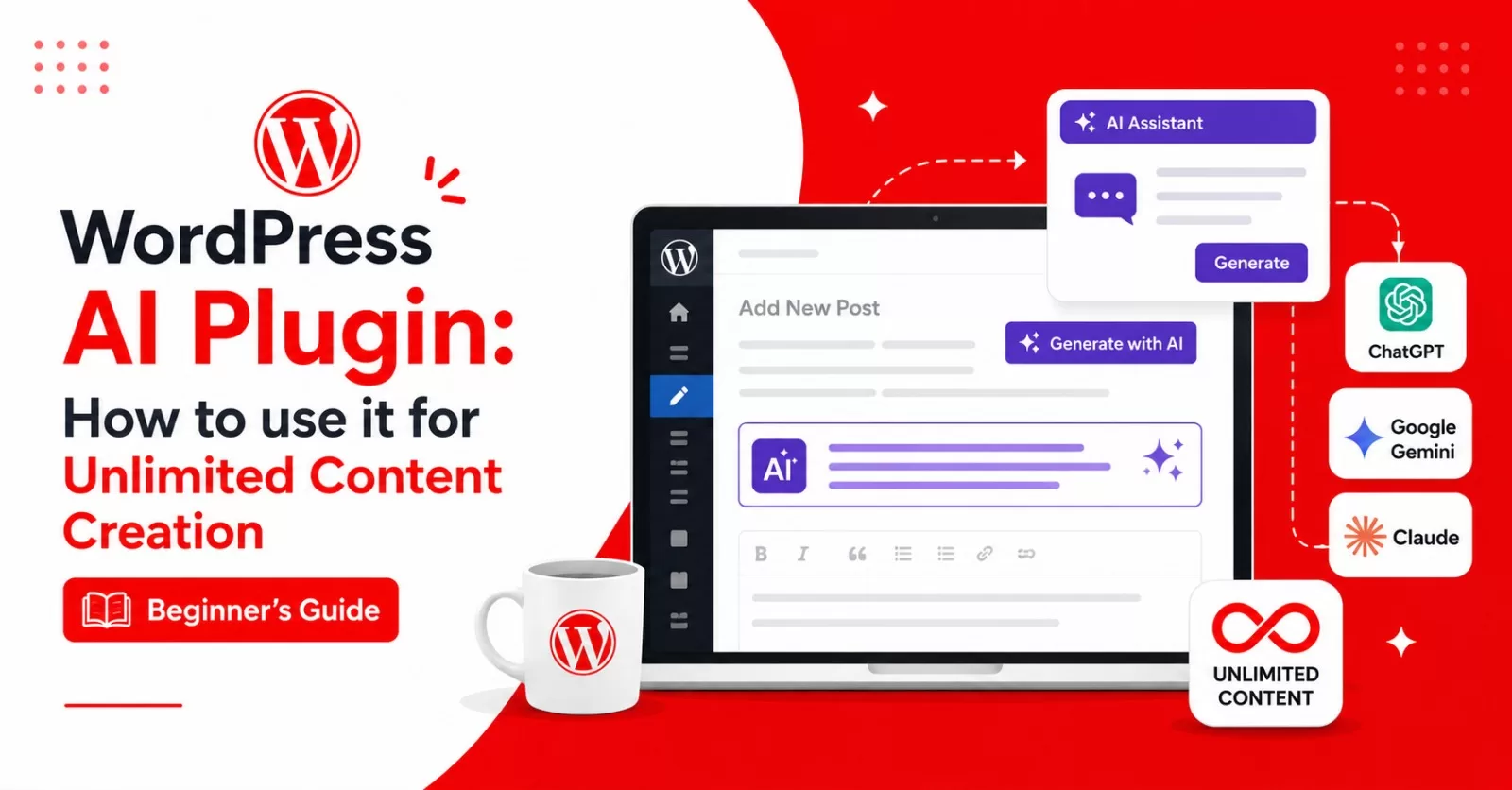
If you struggle to create content for your WordPress site or find it difficult to import text from external AI tools, the WordPress AI plugin simplifies the process.
This guide shows you how to connect AI writing tools like ChatGPT, Claude and more directly to WordPress, allowing you to generate unlimited content to grow your WordPress site and WooCommerce store.
Brief overview of content creation challenges for WordPress users
For a new WordPress user, content creation can feel exciting at first, but several common challenges usually appear along the way. Here’s a brief overview:
1. SEO Optimization
Many new users do not initially understand how search engines work. Optimizing titles, meta descriptions, headings, keywords, internal links, and image alt text can feel overwhelming without tools like Yoast SEO or Rank Math.
2. Finding Original Content Ideas
New WordPress bloggers often struggle to discover fresh topics or create unique content that stands out from competitors in crowded niches.
3. Time Management
Content creation involves research, writing, editing, SEO optimization, publishing, and promotion. Managing all these tasks consistently can become stressful for beginners.
4. Maintaining Readability and User Experience
Many beginners write poorly structured articles or large blocks of text, which can reduce reader engagement and make content harder to read on mobile devices.
5. Keeping Content Updated
Blog posts can become outdated over time. New users may not realize the importance of updating older articles to maintain accuracy, improve SEO rankings, and keep content relevant to readers.
Despite these challenges, tools such as the WordPress AI plugin, practice, and a clear workflow can make WordPress content creation much easier over time.
What is the WordPress AI Plugin?

The WordPress AI plugin is a free, intelligent software solution that helps WordPress users create, optimize, manage, and enhance their website content more efficiently using artificial intelligence. It was launched alongside the latest version of WordPress 7.0 Armstrong.
How does the WordPress AI Plugin work?
This plugin connects with popular AI writing tools like OpenAI’s ChatGPT and Google Gemini, making it easier to handle challenging tasks such as writing blog posts and product pages directly within WordPress. Currently, it is compatible with the following AI writing tools:
- Jetpack for WordPress, WooCommerce and WordPress.com
- ChatGPT
- Google Gemini
- Anthropic’s Claude
- Askimet Anti-spam
Key Features of WordPress AI Plugin Tool
When connected to your preferred AI writing assistant software, known as connectors, the WordPress AI plugin can perform the following tasks:
1. AI Content Generation
Generate and regenerate blog posts, titles, meta descriptions, excerpts, product descriptions, outlines, and FAQs within seconds.
2. Content Resizing and Classification
Organize your content using AI-recommended categories and tags, and enhance your content by adjusting the length: shorten, expand, or rephrase specific sections to improve its search engine ranking.
3. Content Idea Suggestions and Summarisation
Recommend trending topics and fresh blog ideas, helping users overcome writer’s block. Also summarises long-form content into digestible overviews.
4. SEO Optimization, Grammar and Readability Improvement
Improve sentence structure, grammar, tone, SEO, and formatting to create more professional and user-friendly content by providing editorial suggestions for posts in a block-by-block format.
5. Automated Image and Media Assistance
Generate customizable images, optimize alt text, compress media files, and improve visual content performance for your blog posts and product pages.
6. Administrative Abilities
Manage WordPress and WooCommerce sites with admin features like API, approval, comment regulation, log requesting for debugging and observability.
Benefits of the WordPress AI Plugin for New and Existing Users
1. Faster Content Creation
WordPress beginners, intermediaries and experts can create high-quality content much more quickly without needing advanced writing or technical skills.
AI simplifies complicated SEO tasks, making it easier for new users to optimize their content properly.
3. Improved Productivity
Users spend less time brainstorming, editing, and formatting content manually.
4. Better User Experience
AI helps structure articles clearly with headings, shorter paragraphs, and readable formatting that improves visitor engagement.
5. Increased Confidence for Beginners
New WordPress users can publish professional-looking content even with limited experience.
6. Consistent Publishing
With the WordPress AI plugin assistance, users can maintain a regular content schedule, which is important for audience growth and SEO performance.
Overall, AI WordPress plugin tools help beginners reduce content creation challenges while improving efficiency, quality, and website growth potential.
How to Install The WordPress AI Plugin on Your Website (3 Steps)
Here’s a Step-by-step guide to installing the plugin on your WordPress and WooCommerce website.
1. Initial setup instructions
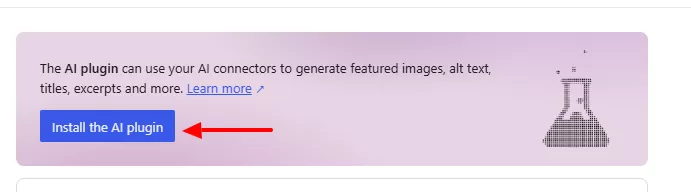
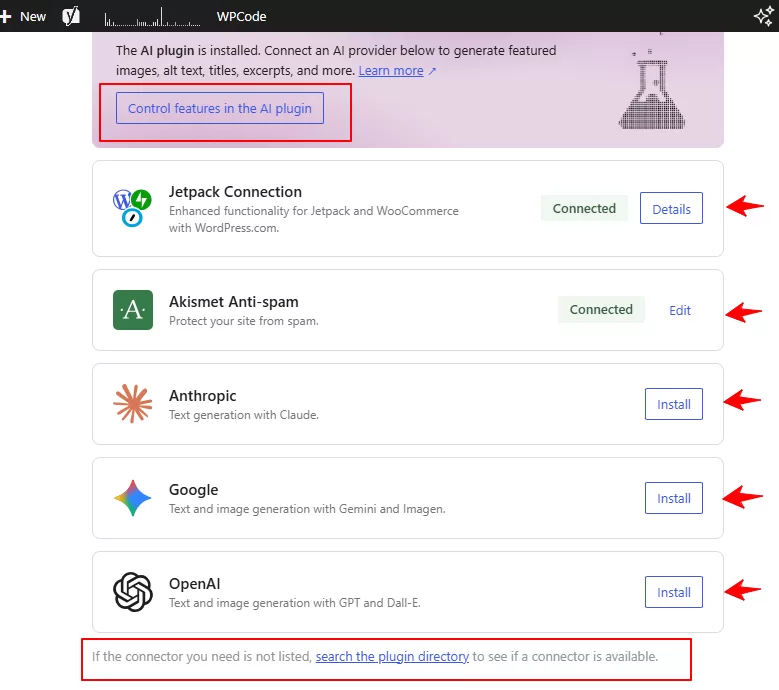
Visit your WordPress dashboard, go to settings>>connectors, and install the AI plugin as shown in the screenshot below.
2. Jetpack, ChatGPT and Claude Configuration
After installing the plugin, configure AI features and experiments for your WordPress site by adding your preferred connectors and customizing settings for optimal performance.
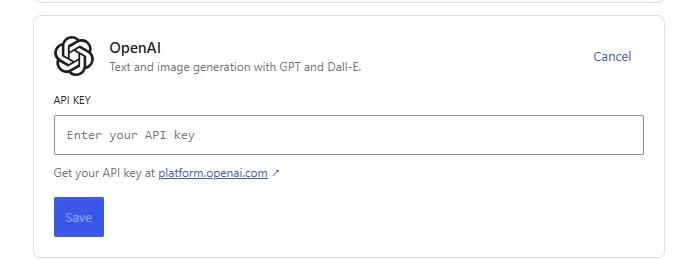
For ChatGPT users, install the plugin and enter your API Key. Get your API key from your OpenAI account.
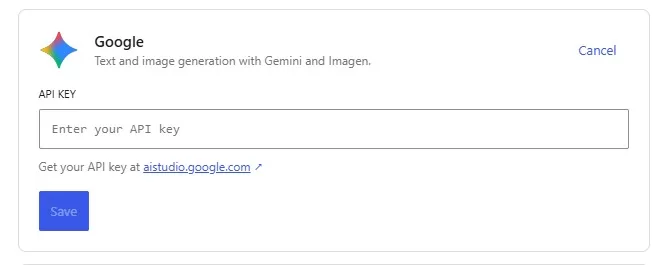
For Google Gemini users, install the plugin and enter your API Key. Get your API key on your Google Studio account.
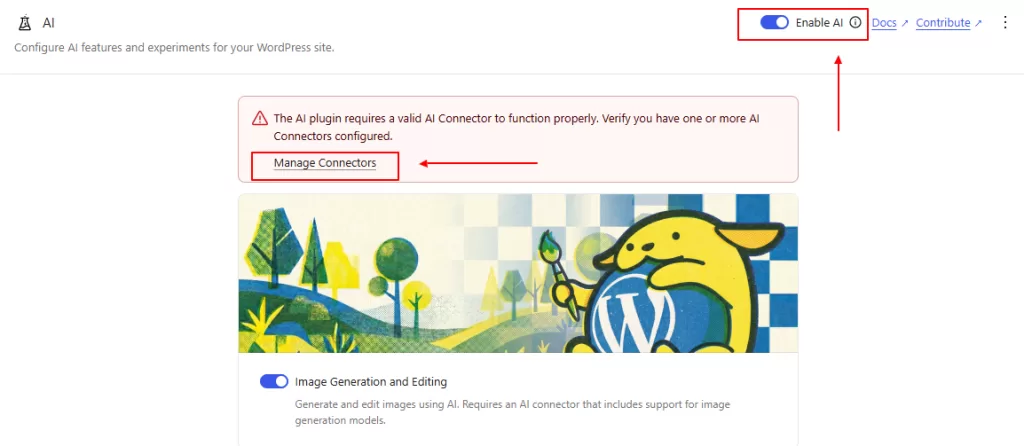
3. Enable AI Features for Your WordPress Site
Manage all connectors and enable the AI button for optimal performance. You can also enable the admin features if you have authors on your website.
Follow the same installation process for all connectors. Make sure to explore and experiment with the features of the WordPress AI plugin, as new functionalities will be introduced in future versions. Additionally, expect more AI writing platforms to be added over time.
Content Creation Process using the WordPress AI Plugin
Once you have finished setting up the WordPress AI plugin on your website, attempt to write a new post or edit an existing post and then experiment with the features.
For example, you can:
- Generate or regenerate a new blog post title.
- Resize your content by shortening, expanding or rephrasing on each block for readability and SEO.
- Generate editorial notes for possible corrections on each block editor.
- Generate featured images for your blog posts and product pages.
- Generate meta descriptions, excerpts and summaries for each blog post.
- Suggest new or existing categories and tags for each blog post.
- Generate alt texts for every image uploaded to your WordPress site.
Conclusion
The WordPress AI plugin integrates artificial intelligence directly into the platform to streamline content creation and optimization. Launched with WordPress 7.0, it connects with external tools like ChatGPT and Google Gemini. Users can generate blog posts, product descriptions, and media while managing SEO tasks and readability from the dashboard.
This tool simplifies complex workflows by offering automated image generation, content resizing, and administrative site management. The installation involves connecting API keys through the settings menu to enable block-level editorial suggestions. These features help both new and experienced users maintain consistent publishing schedules and improve search engine rankings.
Frequently Asked Questions
Yes, you can download and install the WordPress AI Plugin for free on your blog and WooCommerce store.
Yes, the WordPress AI plugin supports content writing tools like ChatGPT, Google Gemini and Claude.
Yes, you can connect your OpenAI and Google’s Gemini account freely with the WordPress AI Plugin.
Yes, you can create images for your blog posts, WooCommerce product pages and more with the WordPress AI plugin. All for free.
To use the WordPress AI plugin, you must have a WordPress website or an eCommerce store, such as a WooCommerce site.
Looking for a WordPress professional to set up this plugin or develop a custom site or online shop? You can hire me for assistance at a budget-friendly price.
Disclaimer: TemydeeDigital may be an affiliate for one or more products mentioned in this article. If you click a link and complete a purchase, we may earn a commission.