
This post contains affiliate links. If you make a purchase through these links, I may earn a commission at no extra cost to you.
For years, one of the biggest frustrations for WordPress.com users was the limitation on customization. If you wanted to install plugins or upload custom themes, you had to subscribe to higher-tier plans like Business or Commerce.
This restriction made it difficult for bloggers, freelancers, and small business owners to fully unlock the potential of their websites, especially when working with a limited budget.
But that has changed.
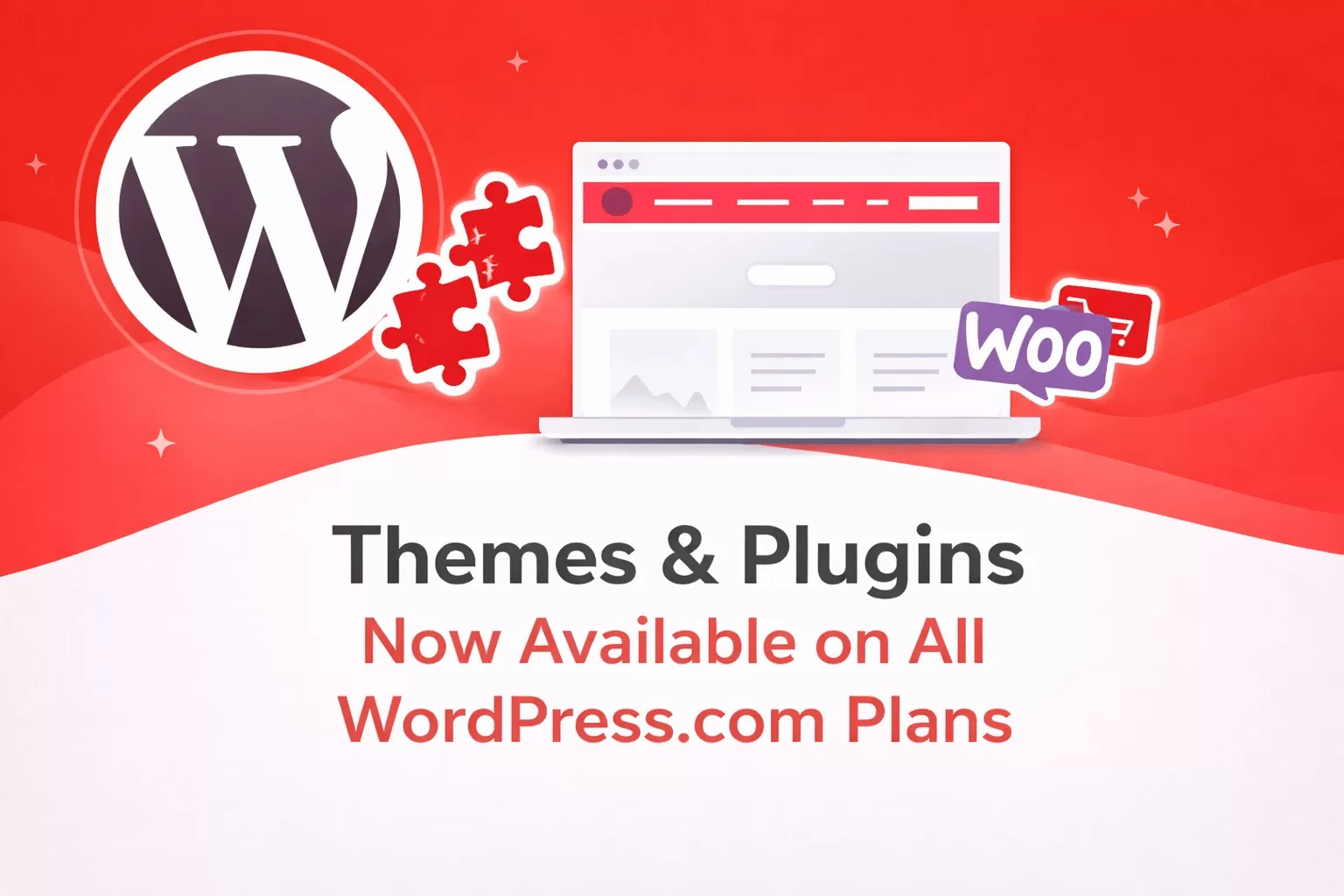
WordPress.com has rolled out a major update: all paid plans now support themes and plugins. This shift is a big win for anyone looking to build a professional website or online store without overspending.
What Changed?
Previously, WordPress.com users on lower-tier plans were restricted to:
- Default themes only
- Built-in features with limited flexibility
- No access to third-party plugins or premium WordPress themes
To unlock full customization, users had to upgrade to:
- Business plan
- Commerce plan
- Enterprise plan
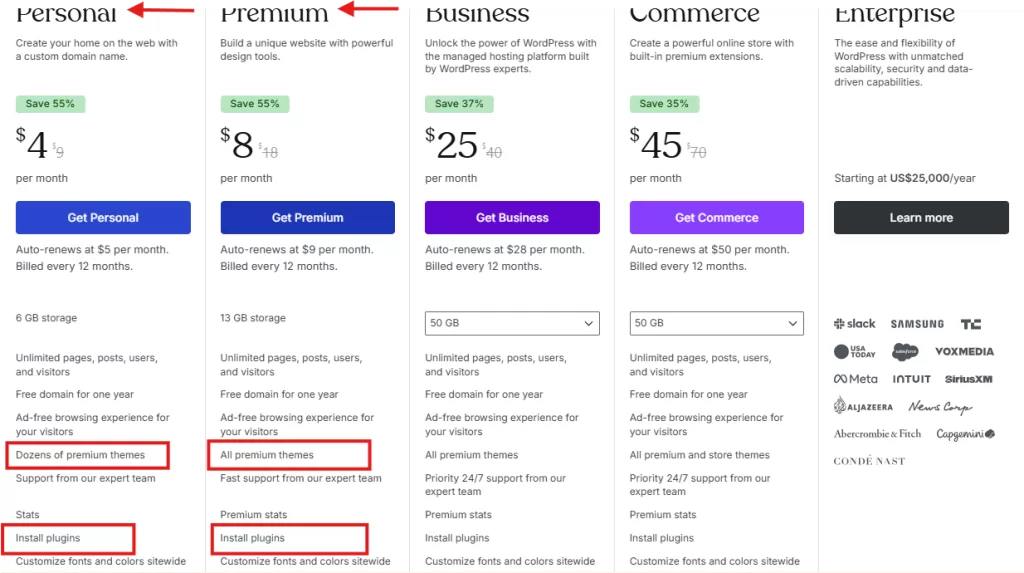
Now, with this new update, every WordPress.com paid plan gives you access to:
- Dozens of custom premium theme installations
- Over 50,000+ Plugin installations
- Global Styles, font uploads, CSS customization and more.
- Greater control over your website functionality
This removes a major barrier and makes WordPress.com far more accessible for users by providing everything they need to build a site that truly reflects their vision.
Why This Update Matters
1. More Flexibility Without High Costs
You no longer need to jump to expensive plans just to customize your website. Even lower-tier paid plans (including Personal and Premium) now offer powerful features that were once locked behind premium pricing.
2. Better Website Functionality
With plugin access, you can now enhance your site with tools like:
- SEO plugins (e.g., Rank Math, Yoast SEO)
- Security plugins
- Speed optimization tools
- WordPress AI tools
- Contact forms, marketing integrations and more.
This means you can build a fully functional, professional website from the start.
3. Easier Growth and Scalability
Before now, many users had to migrate to self-hosted WordPress just to scale their websites.
With this update, you can:
- Start small
- Add features as you grow
- Avoid unnecessary migrations
What This Means for WooCommerce Users
This update is especially important for anyone looking to build an online store.
Previously, launching a serious eCommerce site on WordPress.com required a higher-tier plan. Now:
- More users can access WooCommerce earlier
- You can install essential eCommerce plugins
- Starting an online store becomes more affordable
For small business owners in Africa and beyond, this significantly lowers the barrier to entry. You can now start selling on your WordPress.com website with widely used e-commerce plugins like SureCart and WooCommerce.
WordPress.com vs WordPress.org: Is the Gap Closing?
Traditionally, the difference was clear:
- WordPress.com → Easier to use, but limited
- WordPress.org → Full control, but more technical
With plugin and theme support now available across all paid plans, WordPress.com is becoming much more flexible.
While WordPress.org still offers complete control, this update narrows the gap and gives beginners a stronger reason to stay on WordPress.com.
Who Benefits the Most?
This update is a game-changer for:
- New bloggers building their first website
- Small business owners on a budget
- Merchants looking to start an online store
- Freelancers creating client websites
- Creators who want flexibility without technical complexity
Things to Keep in Mind
While this update is powerful, there are still a few limitations:
- Some advanced features may vary by plan
- You’re still within WordPress.com’s hosting environment
- Full server-level control is not available (unlike WordPress.org)
That said, for most users, the new flexibility is more than enough.
How to Take Advantage of This Update
Here are a few practical steps to get started:
1. Review Your Current Plan
If you are already a WordPress.com user, check whether you are subscribed to a paid plan and explore the new features available to you. If you are new to WordPress.com and want to create a professional website, consider signing up for one of their affordable plans.
2. Install Essential Plugins
Every paid WordPress.com plan includes over 50,000 plugins. You only need to upgrade your plan if you require more bandwidth and storage for your website.
Start with key plugins such as:
- SEO plugin (Rank Math or Yoast)
- Newsletter plugin
- Marketing plugin
- Security plugin
- Booking plugin
- eCommerce plugin
- Backup plugin
- Page builder plugin
- Data analytics plugin and more
3. Upgrade Your Design
Utilise built-in premium themes and page builders to give your website a modern, professional appearance. Additionally, you can incorporate external premium WordPress themes that align with your brand.
4. Optimize for Growth
Once you are done with your website creation, focus on:
- Speed optimization
- Mobile responsiveness
- Conversion-focused design and so on.
Frequently Asked Questions
Yes, WordPress.com now allows plugin installation across all paid plans, making it easier for users to customize their websites.
Yes, WordPress.com offers paid plans like Personal and Premium, laced with dozens of premium themes to choose from and also access to over 50, 000 plugins to customize your website.
Yes, the update makes it easier and more affordable for small to medium-sized businesses to start an online store using WordPress.com.
Yes, you can. You can install various popular page builders from the repository to customise or redesign your website, landing pages and online stores.
Yes, they are. You can now access over 50,000 plugins on WordPress.com, just like you can on WordPress.org.
The lowest WordPress.com hosting plan costs $4 per month, billed yearly.
Conclusion
WordPress.com has removed one of its biggest long-standing limitations.
By allowing themes and plugins on all paid plans, it empowers freelancers, web agencies, bloggers, entrepreneurs, and small business owners to build powerful, scalable websites—without the need for expensive upgrades.
If you’ve been holding back from creating or upgrading your website, this is the perfect time to take action.
👉 Must read: Best Plugins for WordPress.com and WooCommerce Websites
Need Help Setting Up Your WordPress Website with WordPress.com?
At TemyDee Digital, we help businesses create high-performing WordPress websites—from theme installation to full website optimization.
👉 Visit our WordPress website design services page to get started.
WordPress.com Themes & Plugins Now Available on All Paid Plans (Full Guide)
Disclaimer: TemydeeDigital may be an affiliate for one or more products mentioned in this article. If you click a link and complete a purchase, we may earn a commission.