

This post contains affiliate links. If you purchase through these links, I may earn a commission at no extra cost to you.
If you own a WordPress.com site, you can earn money from your followers by starting a paid newsletter with an infinite subscriber list, completely free.
Creating and selling subscription newsletters is a powerful method for generating passive income.
In this guide, I will walk you through the steps to launch your own paid newsletter on WordPress.com. Let’s get started!
What is a Paid Newsletter? How It Works and Why It’s Worth It.
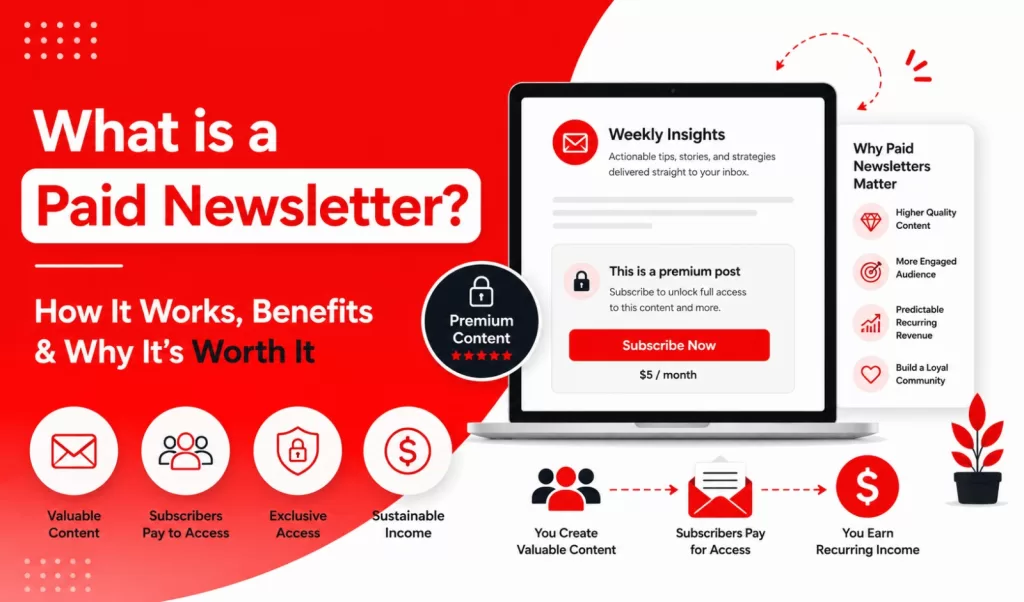
A paid newsletter is a type of email marketing that requires subscribers to pay a fee for access. These newsletters are typically sent on a weekly or monthly basis, depending on the marketer’s schedule. Starting a paid newsletter can be one of the most profitable income opportunities available.
How does a paid newsletter work?
The process works as follows: a guest visits a website or landing page and develops an interest in learning more about the subject, prompting them to join the mailing list by filling out a form on the page. Meanwhile, the marketer delivers recurring newsletter installments to the subscriber’s inbox for a fee.
How do paid newsletters drive income?
Monetized newsletters generate profit when you publish high-quality material on your site or landing page. Readers engage with your work and opt to gain deeper insights by signing up through your on-page subscription form. By paying for access, they provide you with a consistent source of recurring revenue.
What are the benefits of creating a paid newsletter?
As an email marketer, you get to enjoy the following benefits:
- Higher quality content: When you do this repeatedly, it attracts readers who are willing to pay for your content regularly.
- A more engaged audience: Your website attracts the right type of audience to engage with your content, depending on your niche.
- Predictable recurring revenue: You can predict how much you can earn when you put the right structure or system in place.
- Build a loyal community: From your website, you can even add another subscription business model, like a membership access, to add to your revenue when you have gathered loyal fans.
Overview of WordPress.com as a Paid Newsletter Platform with Jetpack
WordPress.com has all the tools inside it to create a successful paid newsletter business. When you create your website or blog with WordPress.com, you can set up a paid newsletter with ease, all for free, with a tool called Jetpack, while you deliver your content with ease.
How does a paid newsletter work with Jetpack installed on a WordPress.com site?
Creating a paid newsletter service using Jetpack Newsletter is a simple process. It operates similarly to the regular blog posts you publish on your WordPress.com site, with one important difference: the content is specifically designed for paying subscribers.
Your audience can sign up through a subscription form that you can embed anywhere on your website. This setup enables you to choose whether a particular post is accessible to all readers or limited to those with paid subscriptions.
By default, posts are available to everyone, but you can modify the settings to restrict access exclusively to premium subscribers. The content is then delivered directly to their email inboxes.
In the following section, I will explain how to set this up.
How to Create a Paid Newsletter Business With WordPress.com and Jetpack
If you want to make money with a paid newsletter service, you will need to set up your WordPress.com website or blog.
I. Set up your WordPress.com Site
WordPress.com handles hosting, software updates, and security so you can focus on the site itself. Begin by selecting a suitable WordPress.com plan for newsletters.
I recommend starting with the personal plan as a beginner, and you can upgrade later as needed. The Personal plan includes a custom domain and access to all core WordPress.com features. It costs $9/mo monthly or $4/mo annually.
After choosing a plan, begin setting up your site by selecting a theme that improves both readability and engagement. Follow the instructions in this article to fully complete your site setup.
II. Set up the Jetpack Newsletter plugin on your WordPress.com Site
Install and activate the Jetpack Newsletters plugin for newsletter management, and then choose the free plan to start with.
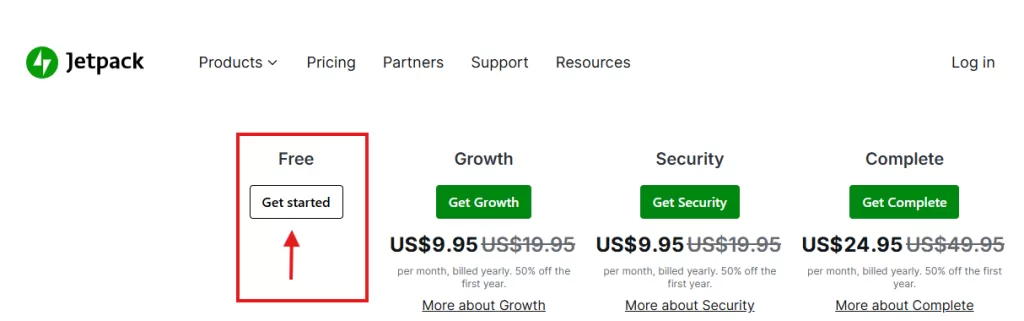
P.S: The Jetpack free plan incurs a 10% commission fee, in addition to the Stripe fee. You can upgrade your Jetpack plan to enjoy 2% commission fee instead.
Go to the Newsletter section in Jetpack to set up settings such as signup form placement on your site, subscription plans, and more.
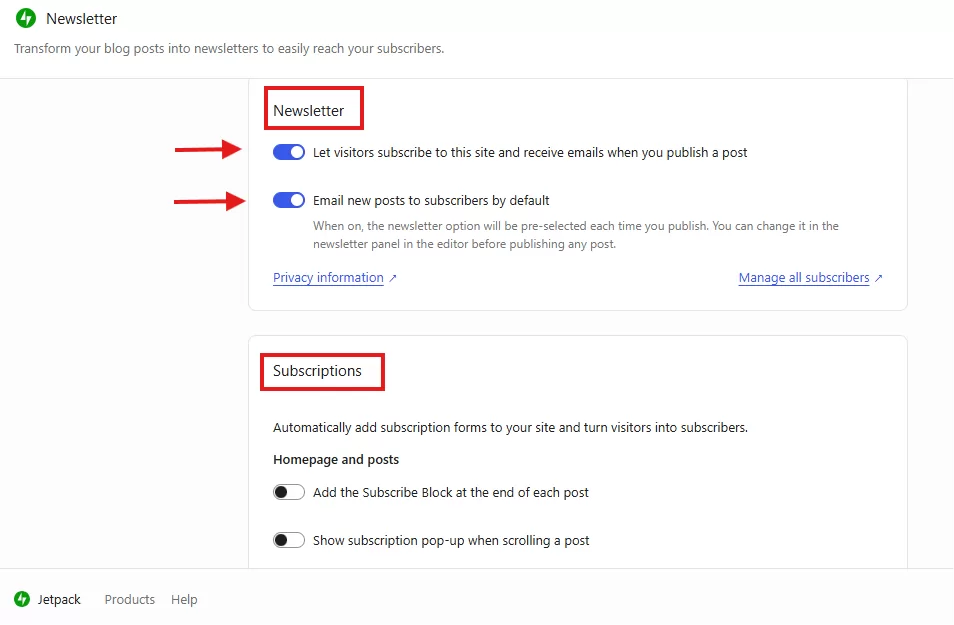
You are welcome to toggle any of the buttons in the settings menu to determine which ones you prefer. Additionally, navigate to the Paid Newsletter tab to create the subscription plans of your choice.
Other vital configurations include enhancing your Gravatar profile with a photo and biography so your audience learns who is behind every premium post, and setting up a welcome message for first-time subscribers.
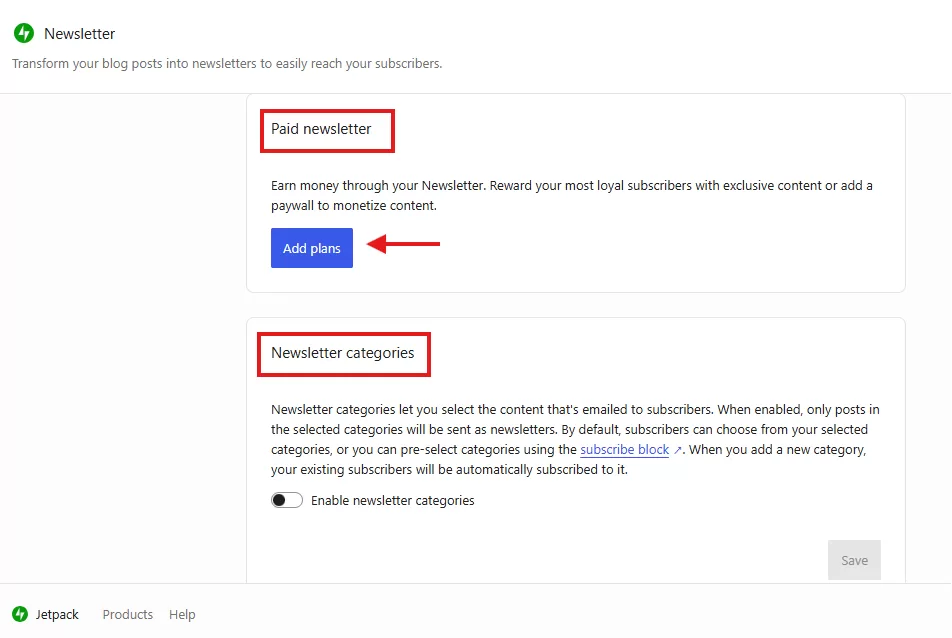
Lastly, ensure you click the Save button after making any changes.
III. Create a Content Strategy for Your Newsletter
For beginners just starting to create content with a WordPress.com site, the first step is to identify your niche and define your target audience. Understanding your readers helps you tailor your voice to their specific interests and needs.
Next, you should focus on brainstorming valuable, engaging content ideas that provide real solutions or entertainment for your community.
Finally, it is important to establish a consistent content schedule and frequency, ensuring your audience knows exactly when to expect new posts and updates.
IV. Build an Email List
To build a successful and profitable email list, you must employ specific strategies for attracting and converting subscribers. This involves offering high-value free content as a lead magnet, such as an informative guide or a useful template, to provide immediate value to your audience.
You should also promote your list across social media platforms and other digital channels to expand your reach beyond your primary site. On your WordPress.com site, strategically place subscription forms in prominent locations where visitors can quickly see and interact with them.
Finally, remember to engage with your subscribers regularly to gather feedback; this personal connection is vital for refining your content and ensuring long-term growth and profitability.
V. Set Up Payment Options
Currently, Jetpack Newsletter supports only Stripe as its primary payment gateway. This means your subscribers can only complete their payments through Stripe, which is currently available and functioning in a specific list of supported countries.
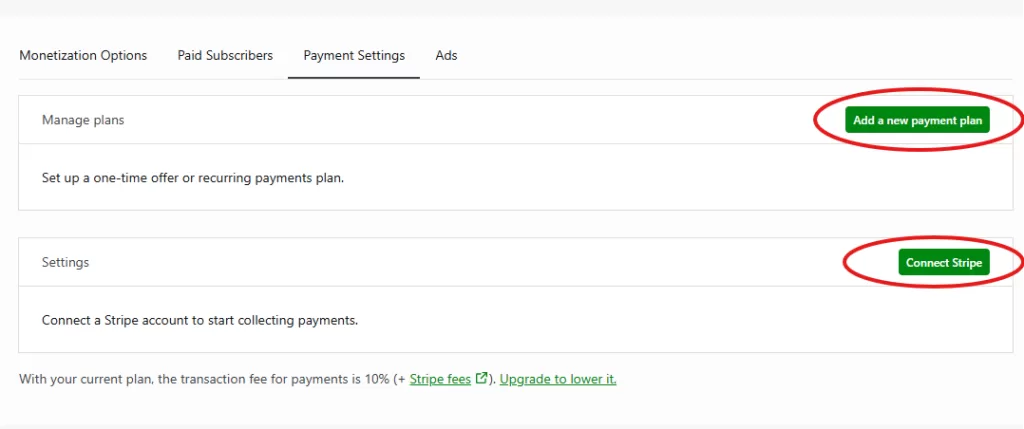
After you have successfully connected your Stripe account to your site to start collecting payments, you can begin tailoring your monetization strategy. You have the flexibility to set up a one-time promotional offer or establish a recurring payment plan for your paid newsletter business.
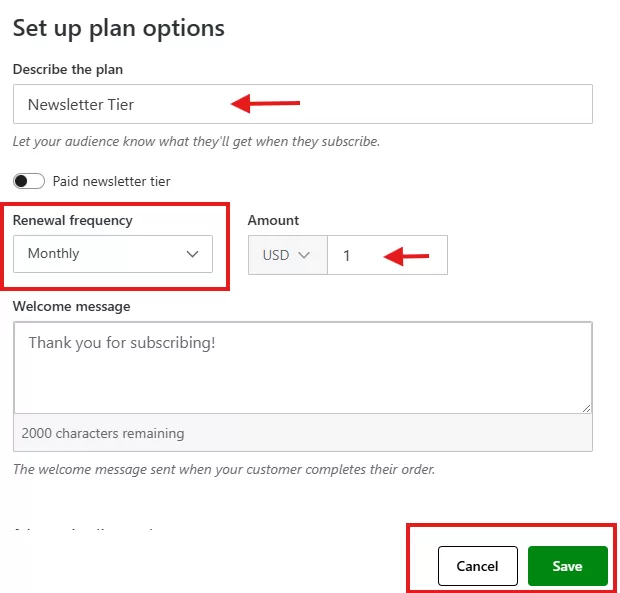
It is essential to note that standard transaction fees are 10% plus the applicable Stripe processing fees. To retain more of your income, you will have to upgrade your Jetpack plan, which lowers the platform’s transaction fee to just 2%.
VI. Marketing Your Paid Newsletter
Once you have created a paid newsletter on your WordPress.com site, you’ll need to brainstorm marketing ideas to generate consistent passive income.
Here are some practical steps you can take: utilize social media channels, network and collaborate with other creators, and apply strategies for ongoing promotional efforts.
Additionally, you can gain exposure to millions of potential readers through the WordPress.com Reader.
Creating a paid newsletter on WordPress.com allows creators to generate recurring revenue through exclusive content. Using the Jetpack plugin, site owners can manage subscriptions and distribute specialized posts directly to subscribers’ inboxes. This model fosters a loyal community while providing a predictable income stream for high-quality digital content.
Launching a newsletter involves selecting a hosting plan, configuring Jetpack settings, and defining a content strategy for a specific niche. Payments are processed via Stripe, with transaction fees varying based on the chosen Jetpack plan. Success relies on building an email list through lead magnets and marketing across social platforms.
Frequently Asked Questions
Jetpack is a plugin compatible with any WordPress site, whether self-hosted or on WordPress.com. When activated, it allows you to monetize your blog posts through email newsletters. Ensure you have a Stripe account to accept payments from subscribers.
You can transfer your existing email subscriber list from other platforms to Jetpack and filter your audience. This can be done in three different ways, as shown in the screenshot below. After that, be sure to create a sign-up form using Jetpack and place it anywhere on your WordPress site.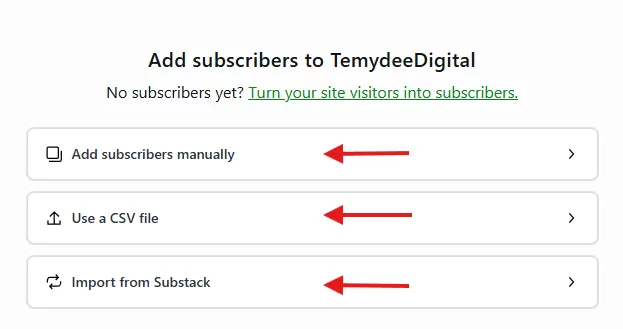
Disclaimer: TemydeeDigital may be an affiliate for one or more products mentioned in this article. If you click a link and complete a purchase, we may earn a commission.